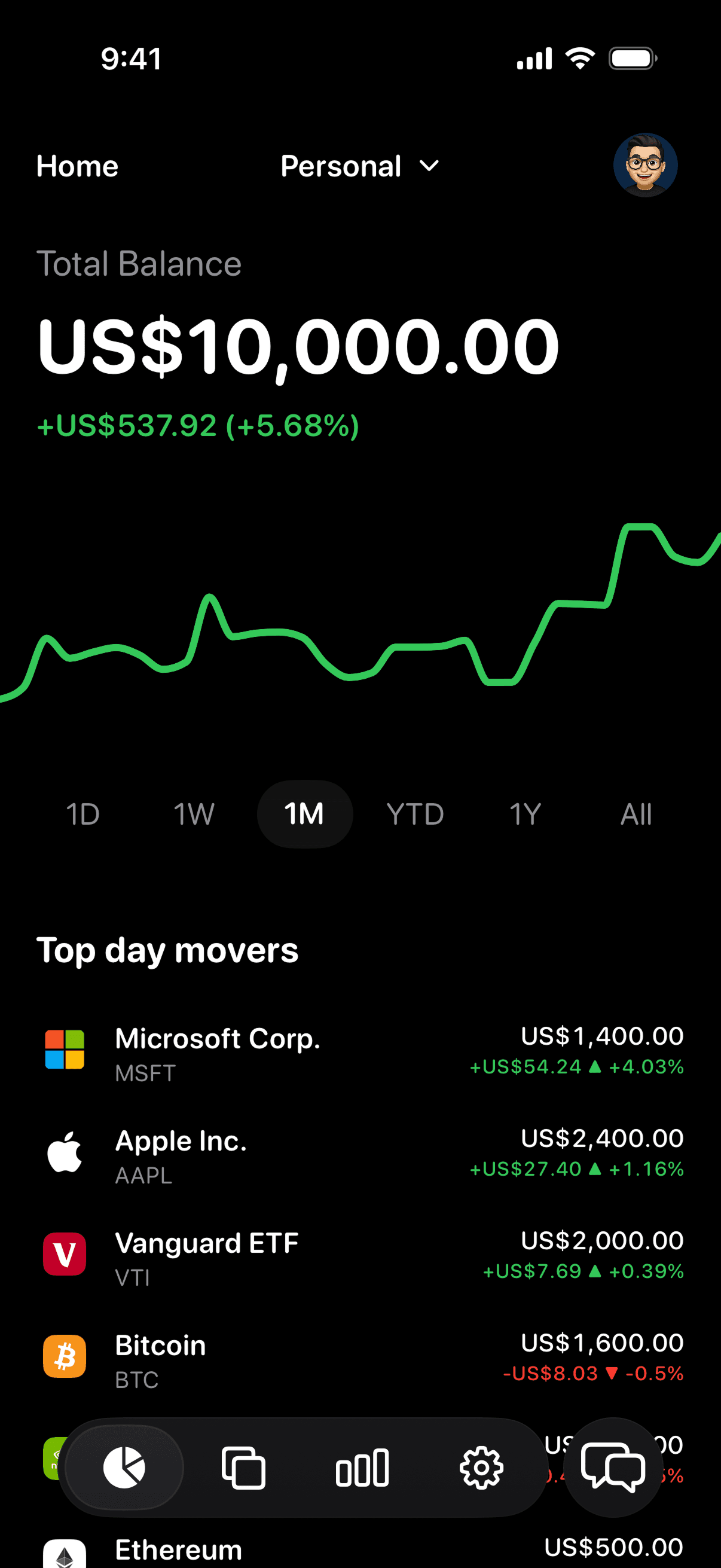

Why stocks and crypto end up in different apps
Your brokerage shows the shares and ETFs you hold with it. Your exchange shows the coins you bought there. A hardware wallet shows nothing at all until you plug it in. Each one is accurate about its own slice, and none of them can answer the question you actually have: what is everything worth right now, and how is it doing?
So you add it up in your head, or in a spreadsheet you stop updating after a few weeks. And simple questions, like how much of your portfolio is in crypto, take more effort than they should.
What Vault shows you
- One total balance across your stocks, ETFs, and crypto, plus any gold and silver you hold.
- Portfolio performance across different timeframes, so a volatile week in crypto sits in the context of your whole portfolio.
- Daily movers, so you can see what changed today at a glance.
- Every holding in detail: price history, key stats, your position, and your transactions.
- Search and filters by name, symbol, or asset type, when you want to look at just your crypto or just your ETFs.
Getting your holdings in
You can import holdings from supported brokerages through SnapTrade. The connection is read-only: Vault never receives your brokerage password and cannot place trades. Anything you don't import, such as coins in a self-custody wallet, you add by hand with the quantity you own.
Vault never asks for wallet keys or seed phrases. It only needs to know what you hold to show you what it's worth.
Understand the mix, not just the total
Holding both stocks and crypto makes allocation matter more, because the two can move very differently. Vault breaks your portfolio down by asset, and Ask Vault answers questions about your own holdings, such as how your allocation looks or what drove a move. It's information to help you understand what you own, not financial advice.
What Vault doesn't do
Vault is a tracker, not a broker, exchange, or wallet. It doesn't buy or sell anything, move money, or hold your coins. Your assets stay exactly where they are; Vault just shows them together.