
Why your portfolio ends up scattered
It happens without anyone planning it. You open a brokerage account, then another with a better offer. You buy some crypto on an exchange and move part of it to a wallet. Maybe you hold gold or silver yourself. Each place shows its own slice, so nothing shows you the whole picture.
What "one place" should actually mean
- Every asset type you own, not just what one company holds for you.
- One total balance you can trust, with prices kept current for you.
- Performance over time, not just today's number.
- Detail on demand: open any single holding to see its history and your position.
- Read-only access, so seeing everything never means giving anyone the ability to move your money.
How Vault brings it together
Connect supported brokerages through SnapTrade with read-only access. Vault never receives your brokerage password and can't place trades. Add everything else by hand: coins in a wallet, gold and silver you hold, or an account you'd rather not connect.
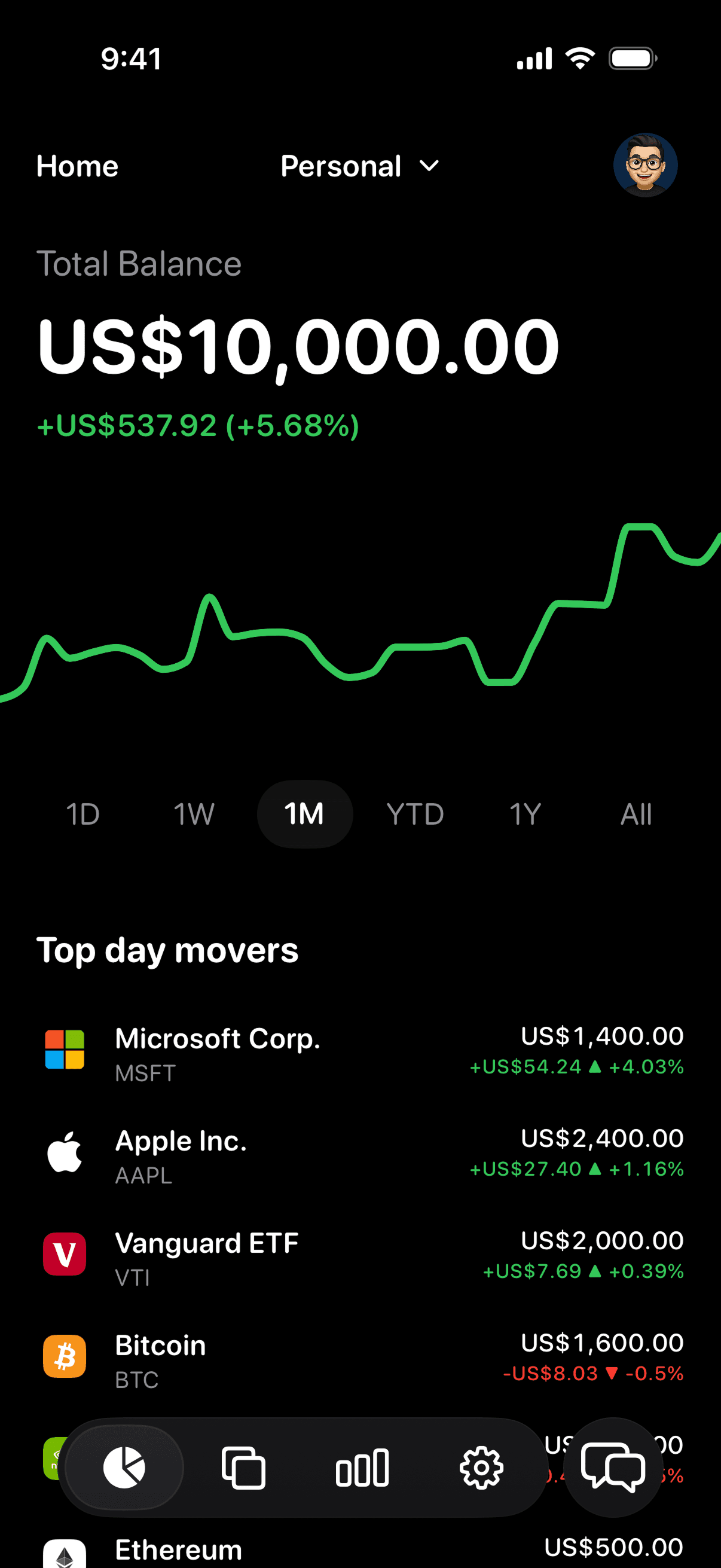
From there, Vault keeps prices current and rolls everything into one total balance, a performance chart across different timeframes, and a breakdown of what you hold.
A simple way to get started
- List where your investments live. Brokerages, exchanges, wallets, and anything you hold yourself.
- Connect what you can. Importing brokerage holdings saves typing and keeps them current.
- Add the rest by hand. Coins, gold, silver, and any account you chose not to connect.
- Check the total once. Compare it with your statements so you trust the number.
- Then just glance. A quick look at your total and daily movers replaces the weekly spreadsheet session.
What Vault covers, and what it doesn't
Vault tracks stocks, ETFs, crypto, gold, and silver. It doesn't track bank balances, property, or loans, so it's an investment portfolio tracker, not a full net worth or budgeting app. Vault focuses on investments you can price at market, and tries to show them clearly.